Breaking

Digi Ads Launching Soon

Search This Blog

Showing posts with label tutorials. Show all posts
March 26, 2020

Google Ads Tutorials: Understanding how keywords work

About keywords in Search Network campaigns

Keywords are words or phrases that are used to match your ads with the terms people are searching for.
Selecting high quality, relevant keywords for your advertising campaign can help you reach the customers you want, when you want.
This article explains how keywords work, where your ads will show, and how much they cost.

How they work

To get your ads to appear when people search for your product or service, the keywords you choose need to match the words or phrases that people search for.

Example

If you sell frisbees, you can add "buy frisbee" as a keyword in your Google Ads campaign. When people type "buy frisbee" on Google search, your ad might appear on the search results page. In addition, if your Search campaign is also targeting the display network, then your ad could also appear on websites about ultimate frisbee.
When a customer searches for a term that matches your keyword, your ad enters an auction to determine if it will show. Learn more about the ad auction.
The cost for each keyword will be different depending on the quality of your keyword, your competition in the auction, and other factors. Make sure your keywords and landing page are all closely related to the terms that a customer might be searching for. To help you understand the quality for your keywords, each keyword has a Quality Score.
This score is based on expected clickthrough rate, ad relevance, and landing page experience. Higher quality ads and relevant keywords typically lead to lower costs and better ad positions. Learn how to make sure your ads are relevant.

How your keywords match to searches

You can use keyword match types to have more control over what searches your keywords match. For example, with exact match your keyword will only match searches that are identical to your exact keyword, or close variants of your exact keyword. With phrase match, your keyword will match close variants of your exact keyword and may include additional words before or after.
If you don’t specify a match type, your keyword will default to broad match and can match to variations of your keywords.

How to exclude searches

To prevent your ad from showing for particular searches, you can also add negative keywords.
Negative keywords can help you reduce costs by making sure your ad shows just to the audience you want. Learn more About negative keywords.

Example

If you sell dog clothes you can target searches for “pet clothes” and add "cat" as a negative keyword to make sure your ad doesn't appear to people looking for cat clothes.

Where your ads appear

You can choose to target your ads to a number of different ad networks. Keywords work a bit differently on each network:
  • Google search and search partner sites: When you build your ad groups, you select keywords relevant to the terms people use when they search, so your ads reach customers precisely when they're looking for what you offer.
  • Google Display Network: If you've chosen to show ads on Display Network sites, Google Ads uses your keywords to place your ads next to content that matches your ads. Google's technology scans the content and web address of a webpage and automatically displays ads with keywords that closely match the subject or web address of the page. For example, on a webpage that includes brownie recipes, Google Ads might show ads about chocolate brownies or delicious dessert recipes. Learn how to choose your keywords for Display Network campaigns.

Tips

  • Choose your keywords carefully. Include terms or phrases that your customers would use to describe your products or services. Make sure your keywords directly relate to the theme of your ad and the page you're directing your customers to. Keywords of two or three words tend to work most effectively.
  • Group similar keywords.Try grouping your keywords into themes. These themes can be based on your products, services, or other categories. For example, if you sell rings, you can have a group of keywords for "engagement rings" and another group of keywords for "wedding rings." Then you can create separate ad groups for these groups of keywords and have specific ads for "engagement rings" and specific ads for "wedding rings."

Here is the Tutorials


March 26, 2020

Google Ads Tutorials: Account organization

About your account organization

Before you create more ads, you should understand the three-layer design of Google Ads. Understanding the relationship between these layers of your account will help you organize your ads, keywords, and ad groups into effective campaigns that target the right audience.
This article explains how the elements in your account are organized.

How Google Ads is organized

This video is also available in Hindi on YouTube.
Google Ads is organized into three layers: account, campaigns, and ad groups.
  1. Your account is associated with a unique email address, password, and billing information.
  2. Your campaigns have their own budget and settings that determine where your ads appear.
  3. Your ad groups contain a set of similar ads and keywords.

    Notes

    • For video campaigns, an ad group contains video ads with common targeting criteria and bids.
    • An ad group can have video ads with only the same format. To run TrueView in-stream and in-display video ads, you need to create two different ad groups.
Account
Unique email and password
Billing information
Campaign
Campaign
Budget
Settings
Budget
Settings
Ad Group
Ad Group
Ad Group
Ad Group
Ads
Keywords
Ads
Keywords
Ads
Keywords
Ads
Keywords


Here is the Tutorial


March 26, 2020

Google Ads Tutorials: How the Search ad auction works

How the Google Ads auction works

Google Ads determines which ads should show with a lightning-fast ad auction, which takes place every time someone searches on Google or visits a site that shows ads.
AdWords ad auction
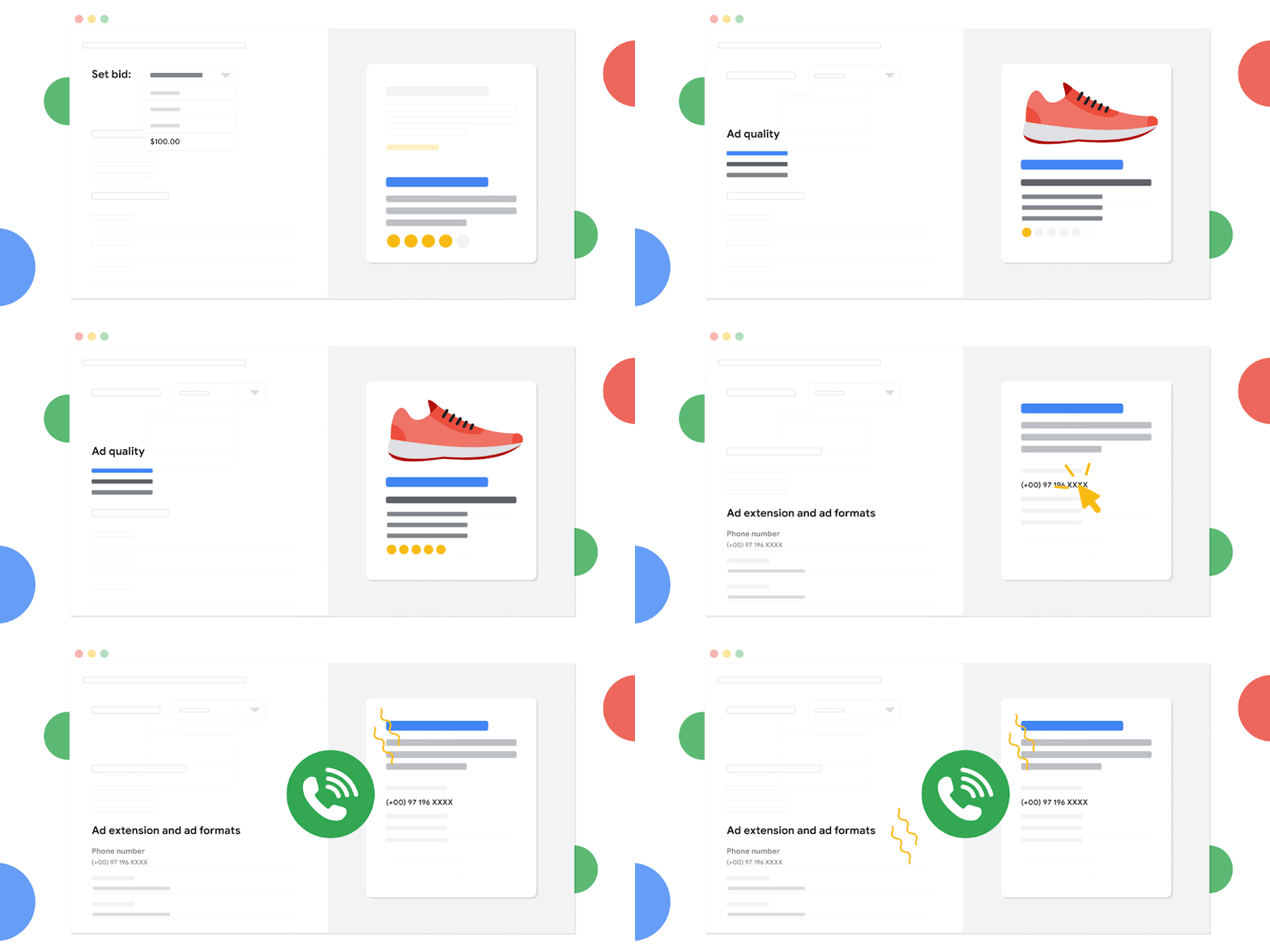
There are 3 main factors in the ad auction that determine which ads appear, and in what order:
  • Your bid - When you set your bid, you're telling Google Ads the maximum amount you're willing to pay for a click on your ad. How much you actually end up paying is often less, and you can change your bid at any time.
  • The quality of your ads - Google Ads also looks at how relevant and useful your ad and the website it links to are to the person who'll see it. Our assessment of the quality of your ad is summarized in your Quality Score, which you can monitor—and work to improve—in your Google Ads account.
  • The expected impact from your ad extensions and other ad formats - When you create your ad, you have the option to add additional information to your ad, such as a phone number, or more links to specific pages on your site. These are called ad extensions. Google Ads estimates how extensions and other ad formats you use will impact your ad's performance. So even if your competition has higher bids than yours, you can still win a higher position at a lower price by using highly relevant keywords, ads, and extensions.
Together, these 3 factors determine when and if your ad will appear to potential customers.
Learn more about how bidding on keywords can help you create a cost-effective campaign.

Here is the Tutorial


March 26, 2020

Google Ads Tutorials: Search basics

Where your ads can appear

When you advertise with Google Ads, your ads can appear on different places across the web depending on how you target your ads, to whom you choose to show them, and the types of ads you create.
This article describes where your ads can show and who might see them.
Targeting channels

On Google Search and other search sites

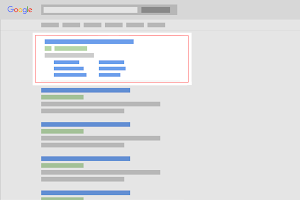
Your ad can appear on Google when people look for the product or service you offer. When you create your ad, you'll choose a set of keywords—the words or phrases that will trigger your ad to show. Then, when people search using the words or phrases you picked, your text ads can appear alongside or above search results.
  • Google search sites: Ads can appear above or below search results on Google Search. They can appear beside, above, or below search results on Google Play, Google Shopping, and Google Maps, including the Maps app.
    Search Network ads on results page
  • Google search partners: Ads might appear with search results on websites of Google search partners. For text ads, search partners include hundreds of non-Google websites, as well as Google Video, and other Google sites.

On websites that your customers visit

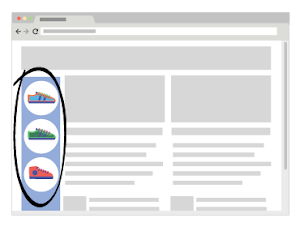
You can also choose to show your ads to people as they browse the web. Your text, image, and video ads can appear on the Google Display Network.
Display Network ads
The Display Network is a collection of websites—including specific Google websites like Google Finance, Gmail, Blogger, and Youtube—that show ads. This network also includes mobile sites and apps.
If you've ever seen an ad on your favorite news site or in your Gmail account, and wondered how it got there, now you know: websites like these are part of the Google Display Network.
Your ads can appear on websites based on the targeting methods you choose. On the Display Network, there are several ways to target your ads:
  • Choose keywords and topics related to what your offer
  • Choose specific websites or pages
  • Choose specific audiences based on their interests, demographics, or whether they've visited your website before.

On different devices

You can show your ads to people as they search or visit websites on the go:
  • Your text ads can appear when people search on Google from their mobile devices and tablets.
  • Your text, image and video ads can appear on Google Display Network websites when people visit these sites from high-end mobile devices, such as iPhones, Android devices, or tablets.
  • Your ads can also appear on mobile apps, which are considered part of our Display Network.

In selected locations or languages

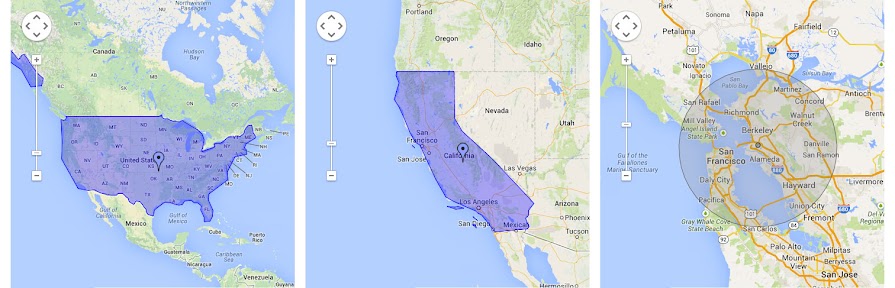
If you have text ads, you can choose to show them to customers in an entire country, a certain geographic location, and even to customers who use names of locations in their searches.
To better reach your potential customers, you can also target your campaigns to the languages they speak. And if your customers speak multiple languages, you can create separate campaigns to manage ads and keywords for each of those languages.


Here is the Tutorials


March 26, 2020

Google Ads Tutorials: Intro to measurement & attribution

There are numerous types of attribution models. You’ll want to choose a model that best fits your needs.
A brand new hotel with a big budget might value introducing people to their brand, while a trip planning software company cares about every ad interaction on the journey. It depends on what you want to get out of Google Ads. You’ll want to choose a model that best fits your needs.
Whenever you start the process of picking a new attribution model, remember to test how that model matches your overall approach to Google Ads. You want to see if it drives more value or more conversions and then decide if you’ve made the right choice.

If you have enough conversions to qualify, consider using data-driven attribution (DDA)

Choosing the right attribution model is a big decision, and it’s sometimes best to let the numbers do the talking. That’s where data-driven attribution can step in. A data-driven approach takes the guesswork out of choosing a model.
If you have enough information to use data-driven attribution, it can paint the clearest possible picture of success in your account. Data-driven attribution was already available in Analytics 360Attribution 360, and Google Marketing Platform.

Note

Attribution works for all conversions from your website, including those imported from Google Analytics. 

Data-driven attribution methodology

Sophisticated algorithms evaluate all the different paths in your account (both converting and non-converting) to determine which touchpoints are the most influential. Factors such as the number of ad interactions, the order of exposure and the creative assets used in each conversion path are all incorporated into results. Using a counterfactual approach, the algorithms contrast what actually happened with what could have happened to determine which ad clicks are most critical for a conversion.
There are multiple benefits of switching to data-driven attribution:
  • Values all steps on the conversion path
  • Works with automated bidding (as do the other attribution model options)
  • Works even on very short conversion paths
  • Quick and easy to implement
The choice of models is ultimately yours, and there are some cases where you may find a more optimal model for your account. But if you have enough data to qualify, plan on using DDA.

If you can’t use DDA, consider a rules-based attribution model

Data-driven attribution is powered by your account’s history, and if you don’t have enough traffic you might not be eligible to use it. That doesn’t mean that you need to continue using last-click attribution, though.

Tip

If you use a manager account, use cross-account conversion tracking to combine your reported conversions. More data leads to better insights.
Like DDA, linear, time decay and position-based models all break up one conversion across each touchpoint. Splitting up a single conversion across all steps on the conversion path can give a clearer sense of a keyword’s value. And all models let you take advantage of automated bidding as well.
Picking a model should connect with your goals for your Google Ads account. Certain strategies tend to be growth-oriented, while others are more focused on efficiency.
 ModelDescriptionGrowth strategy
Last-click (DEFAULT)Gives all credit for the conversion to the last-clicked keywordMost conservative
First clickGives all credit for the conversion to the first-clicked keywordMost growth-oriented
LinearDistributes the credit for the conversion equally across all clicks on the pathModerate
Time decayGives more credit to clicks that happened closer in time to the conversionConservative
Position-basedGives 40% of credit to both the first- and last-clicked keyword, with the remaining 20% spread out across the other clicks on the pathGrowth-oriented
Data-drivenGives credit to clicked keywords based on how imperative they were in the conversion processBased on account’s performance

The approach that you choose is going to determine the relationship between you, your Google Ads account, and your customer’s path to purchase. Attribution is about putting the performance of different keywords into the proper perspective. Performance that seemed typical under pre-existing last-click models could be very different when you evaluate those keywords with a new model.
Keywords earlier in the click path (often generic terms) usually behave differently than keywords later in the click path (like brand terms).
 Early influence keywordsLate influence keywords
Typical CPCHighLow
Typical CTRLowHigh
Types of keywords
Generic
("things to do in Tuscany")
Brand
("Mom and Pop's Tuscan Tours")

A more aggressive model, like first click, will shift performance stats to reward keywords earlier in the click path, while a more conservative model, like last click, will reward keywords that occur later in the click path. As you update the model you use, it might also make sense to re-evaluate the performance goals you have for your account. Many advertisers see better performance with lower cost per action (CPA) for keywords earlier in the click path once they move to an aggressive model, such as first click. If this is the case for you, consider increasing bids to get more volume at your previous CPA.
Here’s something to consider, especially in the days and weeks after you move away from a last-click model: your costs will likely remain the same but your conversions may show a small, temporary drop. That's because the conversion lag for non-last-click models tends to be higher than for last-click models. This could make it seem, for a brief period of time, that performance is getting worse. Things should quickly stabilize as your account adjusts to new ways of counting conversions, but know that slight performance drops are expected after changing models.

Tip

When reviewing performance data, remember to choose an appropriate history window. If you update your history window, you may see additional conversions that originated from clicks that fall outside of your current date range. While your cost data will remain the consistent (as it’s aligned with the date range you select), you may see more conversions appearing as you extend your history window.


Here is the video Tutorial